

 English (EUR)
 Français (EUR)
 Deutsch (EUR)
 Español (EUR)
 Česky (CZK)
 Polski (PLN)
 Slovensky (EUR)
 български език (EUR)
 Magyar (HUF)
 Română (RON)
 Italiano (EUR)
Philips EP models: pump replacement
Service Technician at Brewive • 2026-04-29 • 3 min read
These instructions show how to replace the pump in Philips EP models.
The instructions can also help with Saeco models and with other Philips and Gaggia coffee machines – the devices all come from the same manufacturer and are very similar in design.
Quick navigation:
What you need
Difficulty: Moderate | Estimated time: 15-30 minutes
Tools
- Screwdriver Torx T10
- Open-end wrench 12 mm
Step-by-step repair guide
Step 1


⚠️ Caution: Never forget: Unplug the power cord!
Remove all attachments, like the water reservoir, the brewing chamber, the bean compartment lid, and the drip tray. Remove all of the coffee beans.
Turn the machine around so the back is facing you. Remove the two T10 Torx screws at the bottom edge. Pull out the back at the bottom edge and lift it down.
It's important that the parts are readily visible
The motherboard
The pump
The flow meter
The heating element
Step 2

Unscrew the three T10 Torx screws in the coffee bean compartment.
Step 3

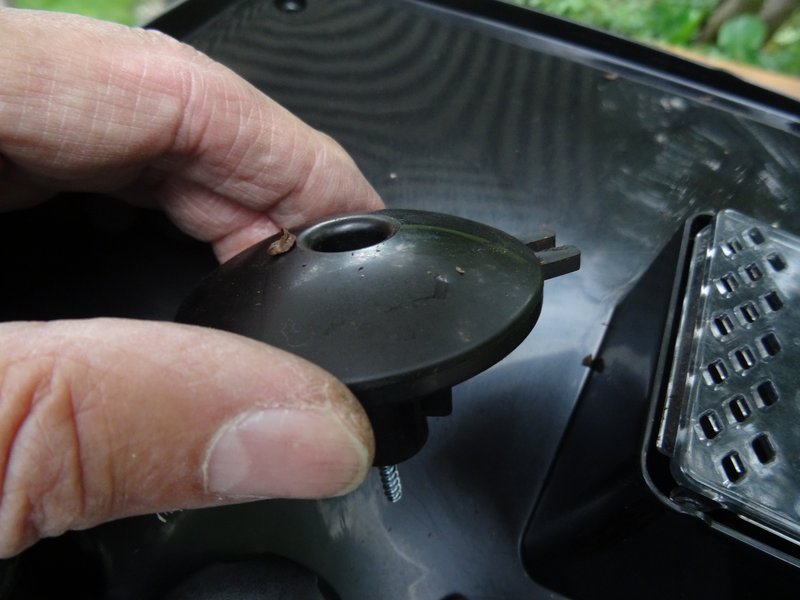

Remove all the beans from the opening on the finger guard of the grinder. A T10 Torx screw will become visible.
Unscrew the T10 Torx screw from the finger guard.
Lift the finger guard up.
Step 4


Slightly lift the top cover up at the back edge.
When putting it back together, make sure the grinder control is sitting right.
Step 5


Pull the upper cover out from under the front cover and lay it slightly offset.
Remove both of the T10 Torx screws attached to the side covers.
💡 Note: You can remove the top cover completely, especially if you must work on the grinder. But, if you want to see the machine functioning later, then lay it back in its original place.
Picture 2 shows the grinder, which can now be easily taken off.
If you want to repair the grinder: here are the instructions Replacing the Philips ceramic grinder motor and sensor
Step 6


Both side panels are still screwed to the lower edge of the front. Unscrew both of the T10 Torx screws out from here.
Slide both side panels back a bit, and take them out from the bottom edge.
Step 1


💡 Note: The pump is clearly visible in the back. It is installed in a vertical position and held by a rubber bracket.
To be on the safe side, remove the three black cables of the flowmeter from their holder so that the pump has a free path.
Pull the two flat connectors off the pump.
The thermal fuse on the cable is glued to the pump at the factory. Carefully scrape off the adhesive and pull the thermal fuse out downwards.
💡 Note: When reassembling, attach the thermal fuse to the new pump with a piece of electrical tape.
Step 2


The rubber holder for the pump is hooked at the top. Push the rubber hook away from you with a metal spatula and leave the metal spatula in place.
Take a strong screwdriver and now push the bracket with a lot of force towards the water tank side until it gradually comes out together with the pump.
Lift out the pump. It is still connected with two hoses.
Step 3

Pull the pump out of the lower water connection.
Insert a 12 mm open-end wrench into the upper pump outlet.
Turn the black connection slightly counterclockwise until it comes loose.
Turn the pump all the way out.
💡 Note: Take care of the seal on the upper connection. Replace it if necessary when replacing the pump.
Step 4


The factory-installed pump was an Ulka EP5FMGW. Replace it with an Ulka EX5, which has a metal fitting.
💡 Note: Ulka pumps can be opened and possibly repaired, but replacement is usually better.
Secure the thermal fuse to the pump with electrical tape.
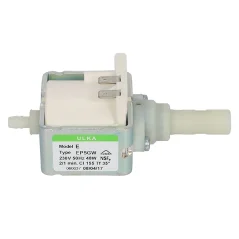
Pump Ulka EP5GW
Order this genuine spare part for your Philips coffee machine. Fast delivery and expert support from Brewive.
Philips Saeco descaler 250ml CA6700
Order this genuine spare part for your Philips coffee machine. Fast delivery and expert support from Brewive.
Water filter for Saeco AquaClean coffee machines
Order this genuine spare part for your Philips coffee machine. Fast delivery and expert support from Brewive.
Conclusion
Follow the steps in reverse order to reassemble your device.
Frequently Asked Questions
What tools do I need to replace the pump in my Philips EP coffee machine?
You'll need a T10 Torx screwdriver, as all the screws referenced in the pump replacement process are T10 Torx screws. You can find the replacement pump and other parts you need at Brewive.
Will this pump replacement guide work for my Saeco or Gaggia coffee machine too?
Yes, Philips EP, Saeco, and Gaggia machines all come from the same manufacturer and share a very similar internal design, so these instructions can apply to those models as well. Brewive carries compatible pump parts for all three brands.
Do I need to remove the coffee beans before starting the pump replacement?
Yes, you should remove all coffee beans from the bean compartment and the grinder opening before disassembly, as you'll need to access screws hidden beneath the finger guard. This prevents spills and ensures a clean workspace.
How do I access the pump inside my Philips EP coffee machine?
Start by unplugging the machine, removing all attachments (water reservoir, brewing chamber, bean compartment lid, drip tray), then remove the two T10 Torx screws at the bottom edge of the back panel and pull it off. Once open, the pump, motherboard, flow meter, and heating element should all be readily visible.
Where can I find a replacement pump for my Philips EP coffee machine?
You can find the correct replacement pump for your Philips EP model at Brewive, which stocks compatible parts for Philips, Saeco, and Gaggia coffee machines. Make sure to match the pump to your specific model for a proper fit.
Recommended products1