


 English (EUR)
 Deutsch (EUR)
 Slovensky (EUR)
 Česky (CZK)
 Magyar (HUF)
 Română (RON)
 български език (EUR)
 Polski (PLN)
Philips / Saeco coffee machine not grinding – grinder motor replacement step by step
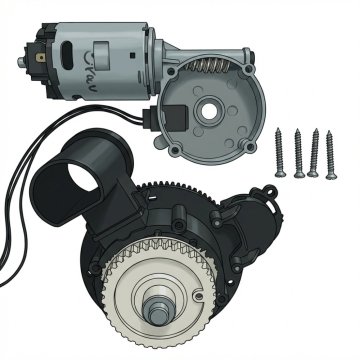
You press the brew button and nothing happens – the grinder doesn't spin, stays silent, or just buzzes quietly. The display may show error code E01, but sometimes there's no error at all. If you've already cleaned the bean hopper and the problem persists, it's almost certainly a worn-out grinder motor.
The ceramic grinder motor is a shared part across most Philips and Saeco automatic coffee machines. It contains carbon brushes that wear down over time – the motor then loses power or stops working entirely.
The replacement takes approximately 30 minutes. You don't need special tools or service experience.
This guide applies to: Philips EP1200, EP2200, EP3200, EP3300, EP4300, EP5400, Saeco Xelsis, Saeco PicoBaristo, Saeco Incanto, Saeco Exprelia, Gaggia and other models with a ceramic grinder.
What you'll need
- Replacement ceramic grinder motor for Philips / Saeco – buy at Brewive.com
- Torx T10 and T15 screwdrivers
- 30 minutes
How to tell if the grinder motor is faulty
Before you start the replacement, make sure the problem is actually the motor:
- Grinder doesn't spin at all – you press the button, hear the pump, but no grinding sound. No coffee comes out.
- Error code E01 – the display shows a grinder error. (Clean the hopper first – if the error persists, it's the motor.)
- Grinder works intermittently – sometimes it grinds, sometimes it doesn't. The motor spins slowly and loses power.
If the grinder spins normally but no coffee comes out – the problem is elsewhere (clogged funnel, brew group). This guide specifically addresses a faulty motor.
Step-by-step grinder motor replacement
Step 1: Turn off and unplug the machine
Turn off the coffee machine and unplug it from the wall. Let it cool down for at least 10 minutes – there's hot water inside.
Step 2: Remove the water tank, brew group and bean hopper
Remove the water tank. Open the side door and take out the brew group. Empty the bean hopper and vacuum out any remaining beans – they must not fall inside the machine.
Step 3: Unscrew the rear panel
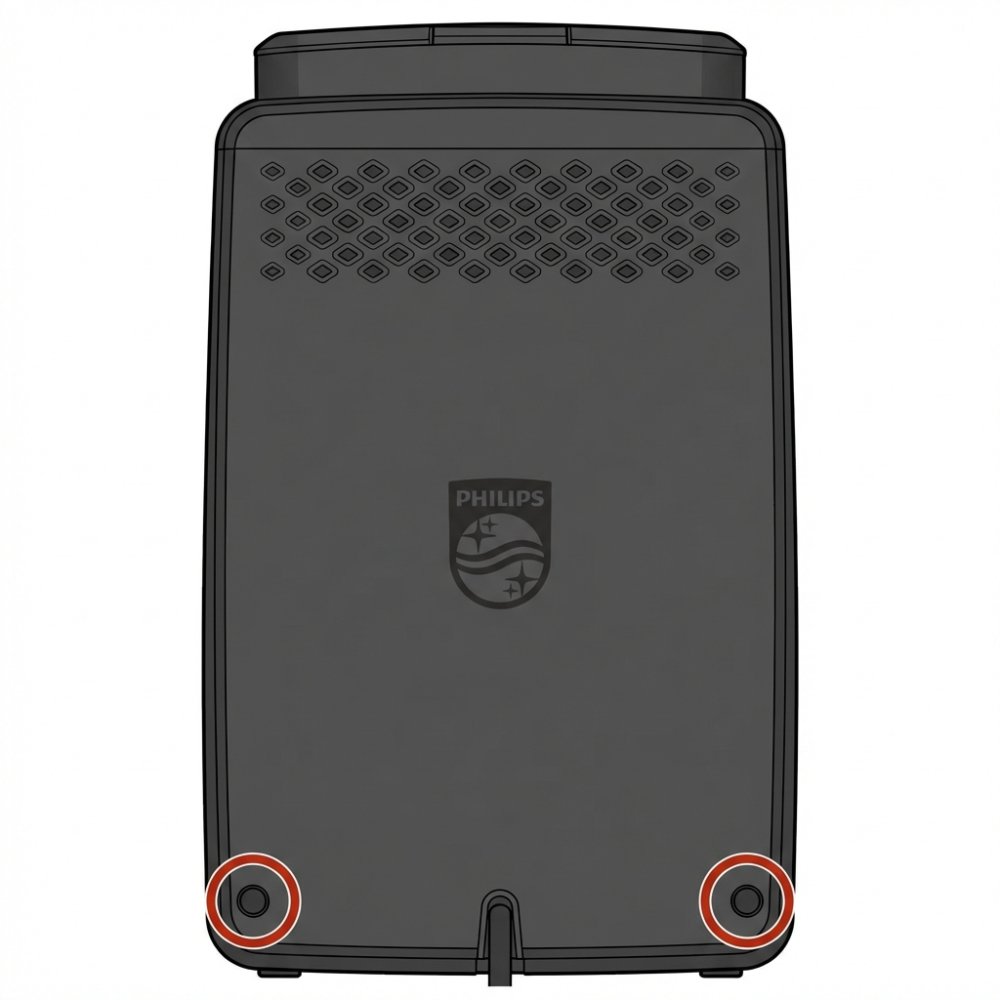
On the back of the machine you'll find 2 Torx screws in the bottom corners (marked with red circles in the image). Unscrew them and set aside.
Step 4: Unscrew the top cover and grinder cover
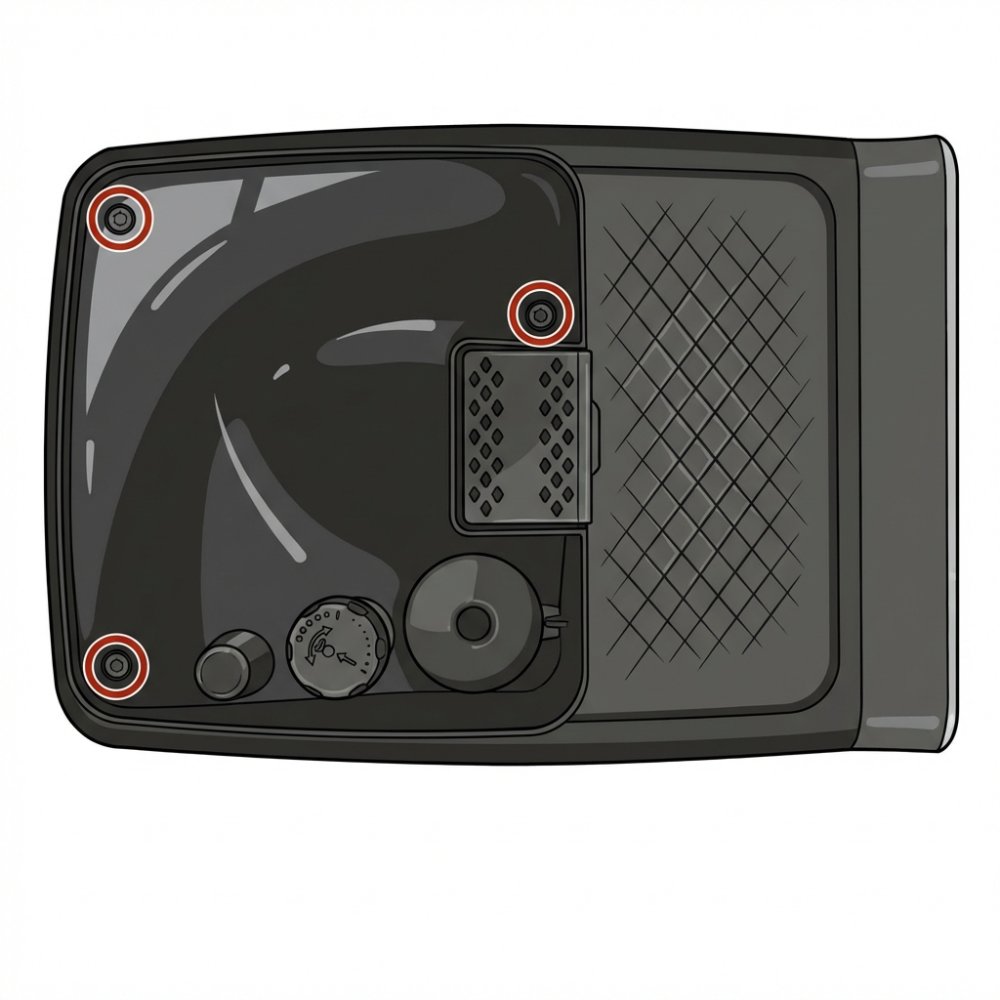
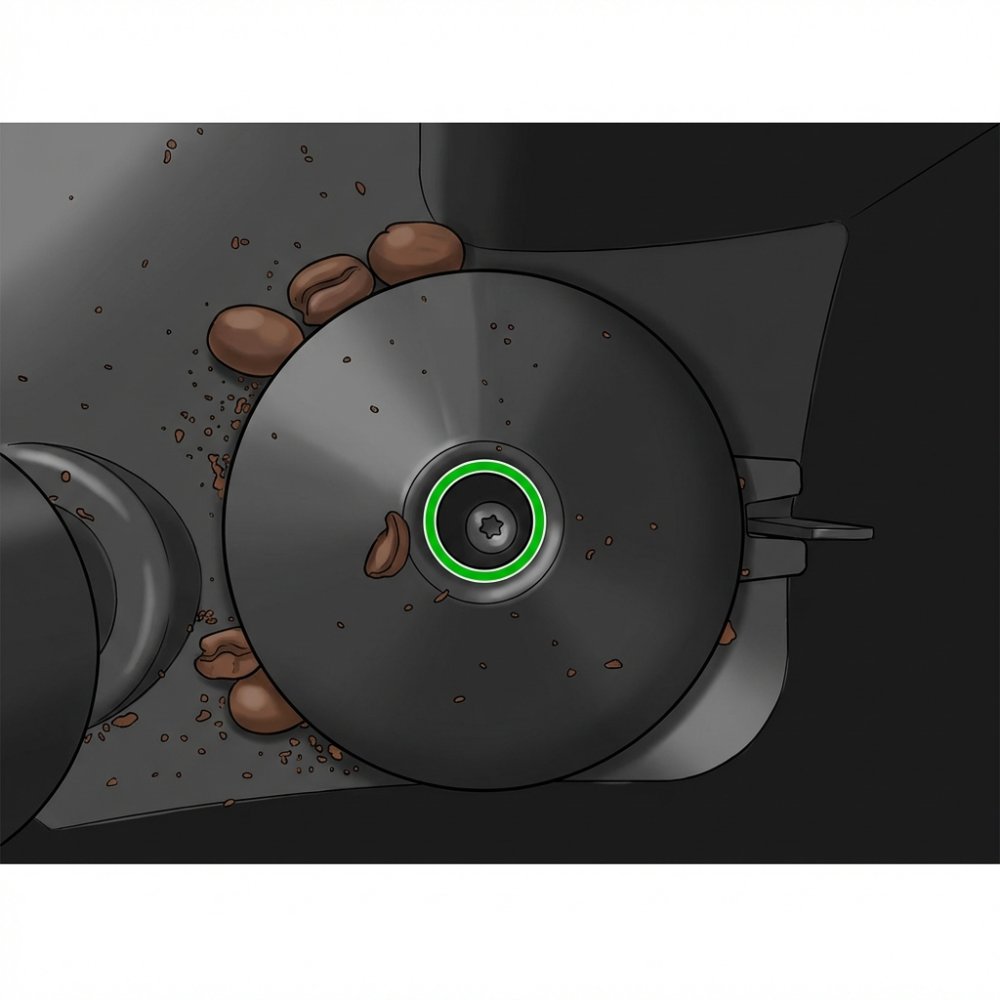
On top of the machine (after removing the bean hopper) you'll find 2–3 more Torx screws (marked with red circles in the image). Unscrew them. Then unscrew the central screw of the grinder cover (marked with a green circle in the image).
Step 5: Lift the cover, remove the grinder and disconnect the connectors
Carefully lift the top plastic cover upwards. Underneath you'll see the internal components and wiring. In the image: (1) power cables, (2) cover clips, (3) electronics. Pull the grinder upwards and disconnect 2 electrical connectors – the power connector and the speed sensor connector.
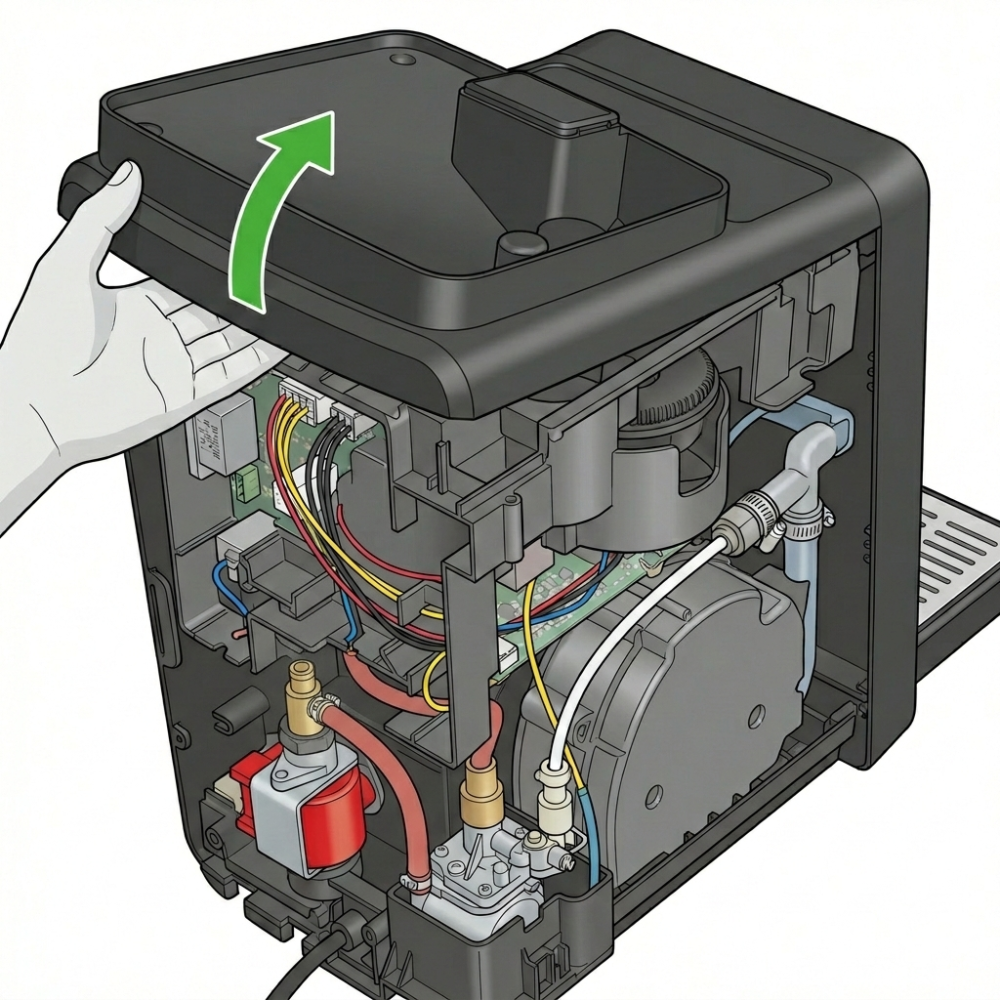
Step 6: Flip the grinder and unscrew 4 Torx screws
Turn the removed grinder upside down. On the sides you'll find 4 Torx screws holding the motor inside the grinder body. Unscrew them and carefully remove the old motor.
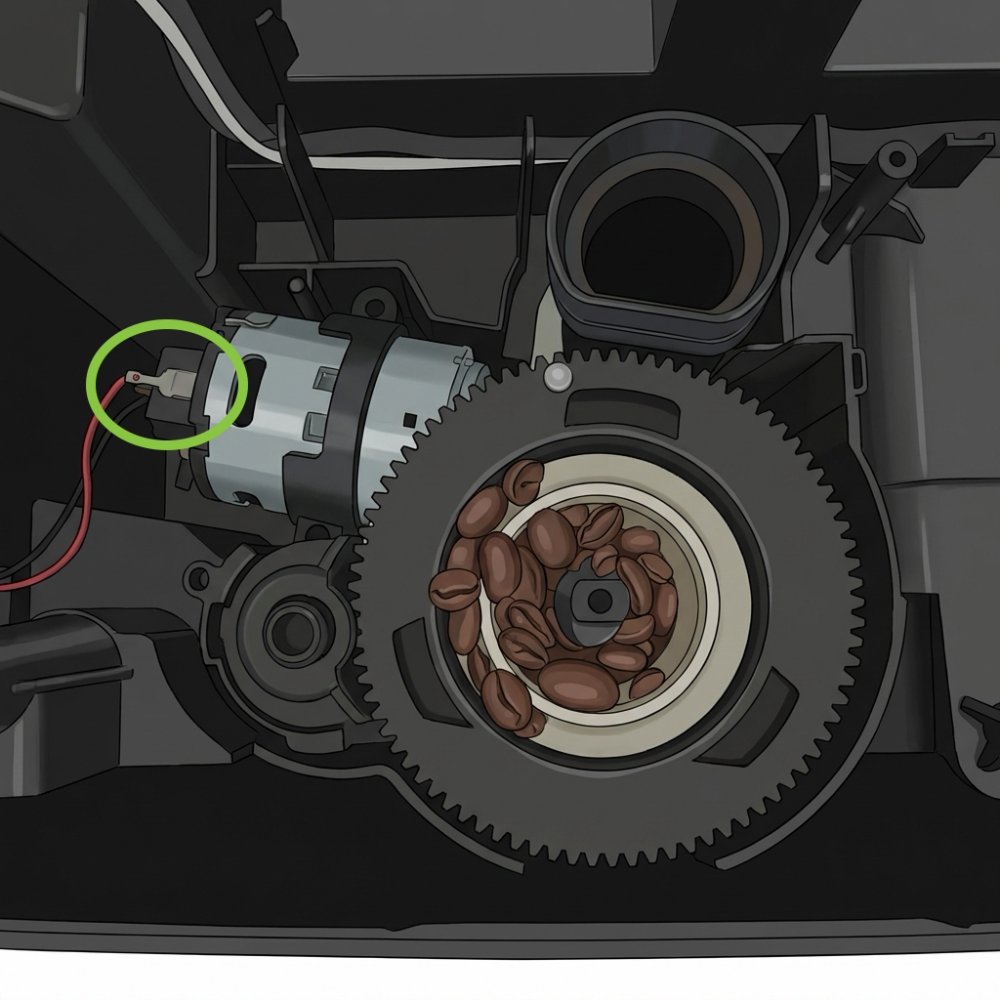
Step 7: Install the new motor and screw it in
Place the new motor where the old one was and tighten the 4 Torx screws. Important: pay attention to the correct wiring – the motor has plus (+) and minus (−) markings. Connect the black wire to minus, the red wire to plus.
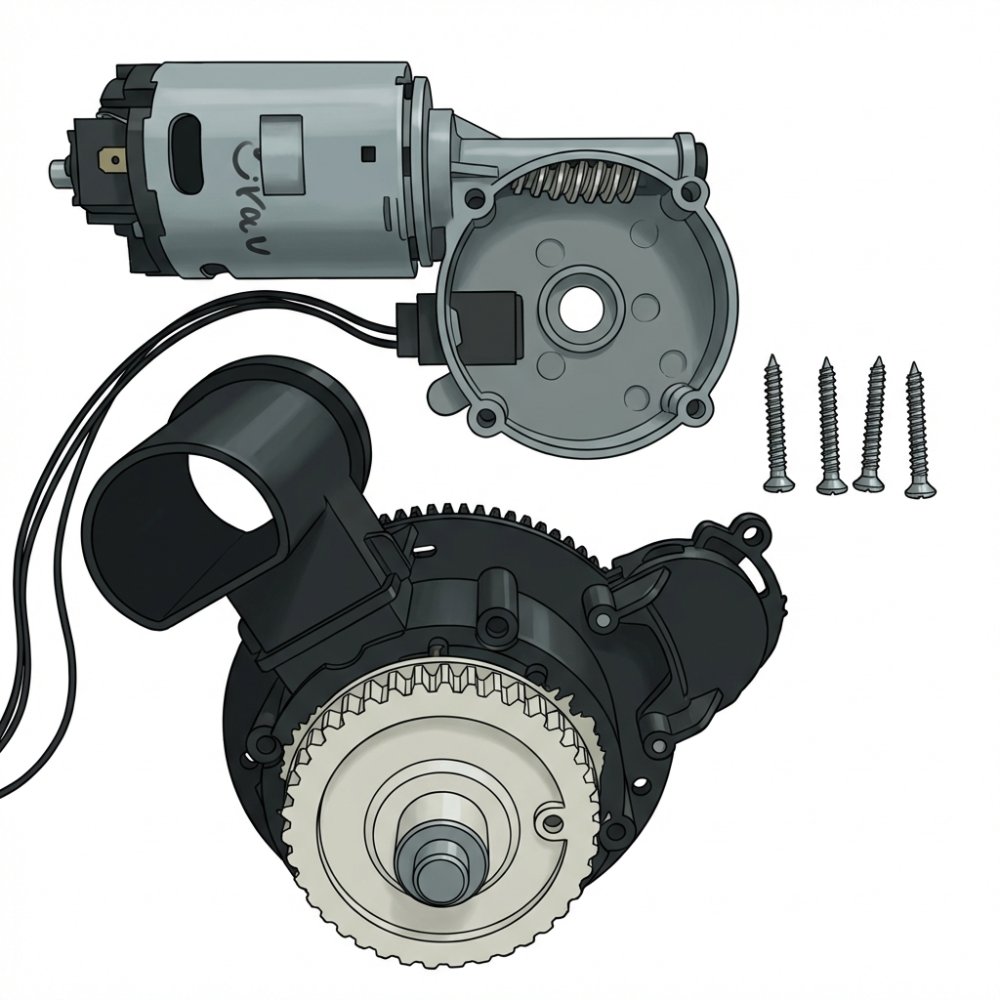
Step 8: Reconnect and reassemble the machine
Plug both electrical connectors back into the grinder. Insert the grinder into the machine. Reattach the top plastic cover and tighten all screws in reverse order – top first, then the rear panel. Insert the bean hopper, brew group and water tank.
Step 9: Test the repair
Turn on the machine, add beans and brew a coffee. The grinder should run smoothly without buzzing or stalling. Brew 2–3 cups to verify everything works correctly.
Where to buy a grinder motor for Philips / Saeco?
A replacement ceramic grinder motor compatible with Philips EP, Saeco and Gaggia coffee machines is available at Brewive.com. We ship across the EU, usually within 2–3 business days.
Summary
| Step | Description |
|---|---|
| 1 | Turn off and unplug the machine |
| 2 | Remove water tank, brew group and bean hopper |
| 3 | Unscrew rear panel (2× Torx) |
| 4 | Unscrew top cover and grinder cover |
| 5 | Lift cover, remove grinder, disconnect 2 connectors |
| 6 | Flip grinder, unscrew 4× Torx, remove motor |
| 7 | Install new motor (black = −, red = +) |
| 8 | Reconnect, reassemble the machine |
| 9 | Test the repair |
Frequently asked questions
Which models is this motor compatible with?
The ceramic grinder motor is a universal part for most Philips EP series, Saeco (Xelsis, PicoBaristo, Incanto, Exprelia, Syntia) and Gaggia automatic coffee machines. The full list of compatible models is on the product page at Brewive.com.
How do I know if it's the motor or the grinding burrs?
If the grinder doesn't spin at all or just buzzes – it's the motor. If it grinds but the coffee is too coarse or too fine and can't be adjusted – the issue is with the burrs or settings.
What should I watch out for when connecting the wires?
The motor has plus (+) and minus (−) markings. The red wire goes to plus, the black wire to minus. If you connect them the wrong way, the motor will spin in the wrong direction.
Do I need to transfer the speed sensor to the new motor?
It depends on the replacement motor type. Some come with the sensor included. If not, transfer the sensor from the old motor to the new one – without it, the machine will throw an error or refuse to start the motor.
What if the grinder spins the wrong way after replacement?
The wires are connected backwards. Disconnect the connector and plug it in the other way – the motor must spin in the same direction as the original.
Need spare parts for your Philips or Saeco coffee machine? At Brewive.com you'll find grinder motors, brew groups, O-rings and more for all models. We ship across the EU.
Produits recommandés2
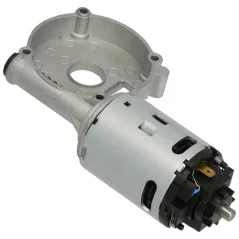
Ceramic coffee grinder motor for Philips/Saeco coffee machines