

 English (EUR)
 Deutsch (EUR)
 Slovensky (EUR)
 Česky (CZK)
 Magyar (HUF)
 Română (RON)
 български език (EUR)
 Polski (PLN)
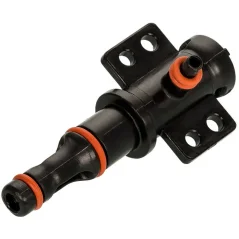
Philips Coffee Machine Leaking into Drip Tray – Pin Valve Replacement
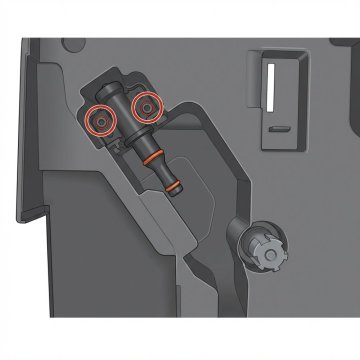
If water is pooling in the drip tray of your Philips coffee machine and there's no error message on the display – the culprit is almost always a worn or damaged pin valve. This small valve sits behind the brewing unit and controls water flow through the coffee puck. When it fails, water bypasses its intended path and drains straight into the drip tray.
The good news: replacing it takes around 15 minutes and requires no special skills or a service visit.
This guide applies to: Philips EP1200, EP2200, EP3200, EP3300, EP5400, EP5440, Philips LatteGo and other models from the EP series.
What You'll Need
- Replacement pin valve for Philips EP – buy at Brewive.com
- Torx T10 screwdriver
- 15 minutes
Step-by-Step Pin Valve Replacement
Step 1: Turn off and unplug the machine
Always unplug the coffee machine before starting any repair. Let it cool down for at least 5 minutes.
Step 2: Remove the water tank
Lift the water tank straight up and set it aside.
Step 3: Remove the brewing unit
Open the side door of the machine. Press both side buttons on the brewing unit simultaneously and pull it out. Set it aside.
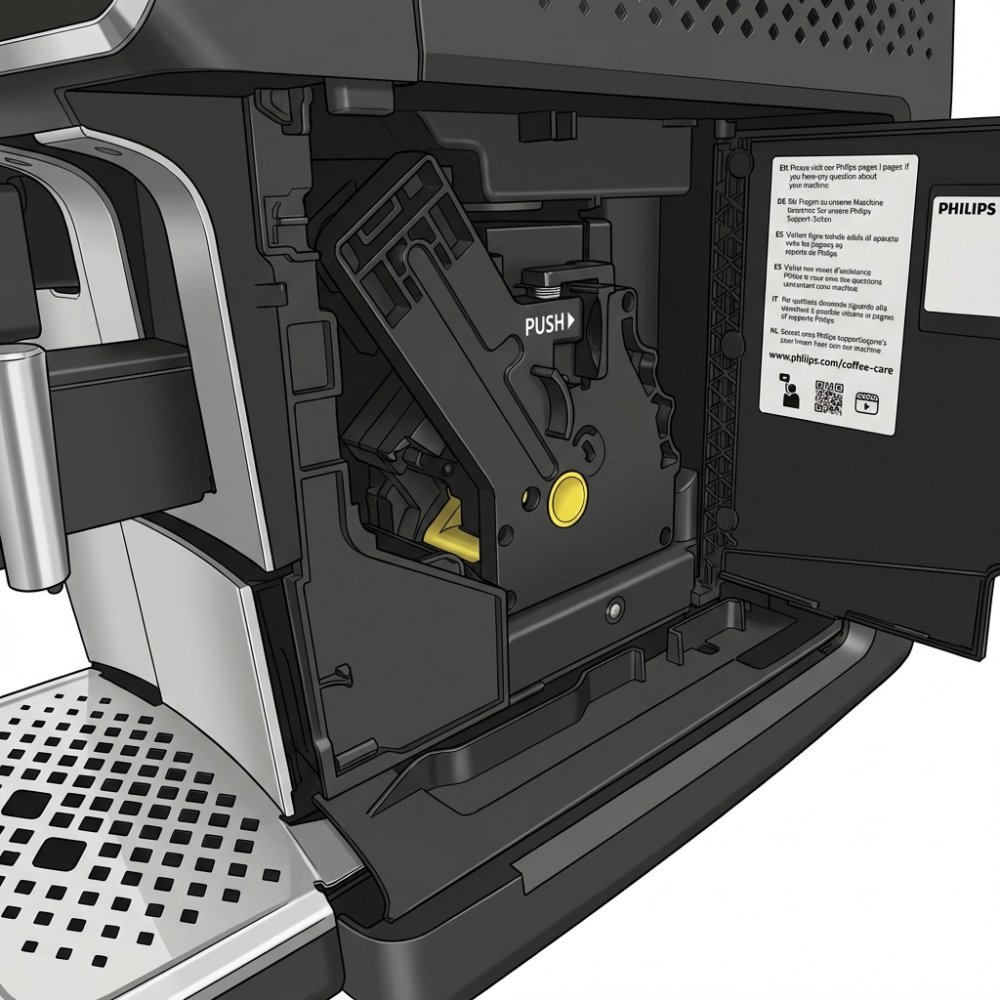
Step 4: Locate the pin valve
With the brewing unit removed, the pin valve will become visible inside the machine – see image below. It is secured with two Torx T10 screws.
Step 5: Unscrew the pin valve
Using a Torx T10 screwdriver, remove both screws. Keep them safe – you'll need them again.
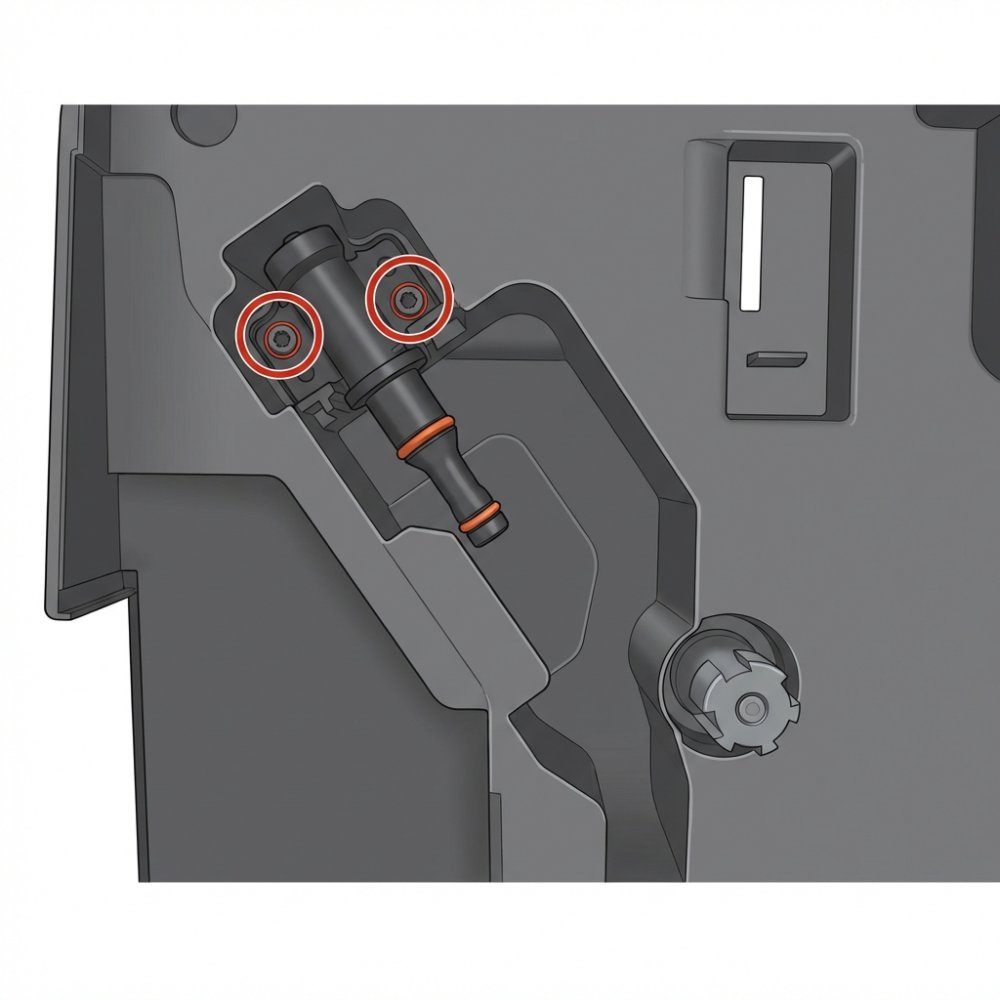
Step 6: Pull out the old pin valve
Pull the pin valve straight towards you – it should come out without much resistance.
Step 7: Insert the new pin valve
Place the new pin valve into the same position. Make sure it sits flush and even.
Step 8: Screw it back in
Reinsert both Torx T10 screws. Don't overtighten – the valve body is plastic and can crack. Firm is enough.
Step 9: Reassemble the machine
Slide the brewing unit back in until you hear a click. Replace the water tank.
Step 10: Test the repair
Turn the machine on, let it heat up and brew one cup of coffee. Check that the drip tray stays dry.
Where to Buy the Pin Valve for Philips EP?
You can find the replacement pin valve for the Philips EP series directly at Brewive.com. We ship across the EU, typically within 2–3 business days.
Summary
| Step | Action |
|---|---|
| 1 | Turn off and unplug the machine |
| 2 | Remove the water tank |
| 3 | Remove the brewing unit |
| 4 | Unscrew 2x Torx T10 |
| 5 | Pull out the old pin valve |
| 6 | Insert the new pin valve |
| 7 | Screw back in and reassemble |
| 8 | Test |
Frequently Asked Questions
Which Philips models is this pin valve compatible with?
The entire EP series – EP1200, EP2200, EP3200, EP3300, EP5400, EP5440 and most LatteGo models. The full compatibility list is available on the product page at Brewive.com.
Do I need any special tools?
Just a Torx T10 screwdriver, available at any hardware store for a few euros.
What if the machine is still leaking after replacing the pin valve?
In that case, the issue may be a cracked hose or damaged brewing unit body. Get in touch with us – we'll help you figure it out.
Looking for spare parts for your Philips coffee machine? At Brewive.com you'll find pin valves, O-rings, brewing units and more for all Philips EP models. We ship across the EU.
Produits recommandés1