


 English (EUR)
 Français (EUR)
 Deutsch (EUR)
 Español (EUR)
 Česky (CZK)
 Polski (PLN)
 Slovensky (EUR)
 български език (EUR)
 Magyar (HUF)
 Română (RON)
 Italiano (EUR)
Siemens EQ6 Service Menu
Service Technician at Brewive • 2026-05-13 • 3 min read
The service menu is an essential diagnostic tool for testing individual components and sensors. It also displays detailed machine statistics and stored error codes.
These instructions are also applicable to other Siemens/Bosch bean-to-cup models, as the machines share a similar internal architecture.
What you need
Difficulty: Moderate | Estimated time: 15–30 minutes
Step-by-step repair guide
Step 1


Power the machine on as usual.
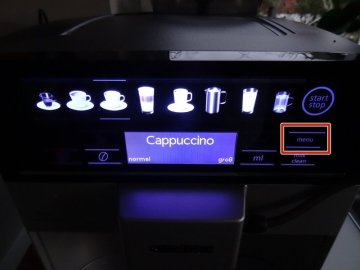
Touch the "Menu" field — it appears slightly darker than the surrounding icons. This opens the standard settings menu (language, water hardness, etc.), but this is not the service menu yet.
Simultaneously touch the first (espresso) and last (hot water) beverage-selection fields. Both fields will appear dark while held.
Continue holding until the selection fields illuminate brightly. The service menu will now appear on the display.
Step 2
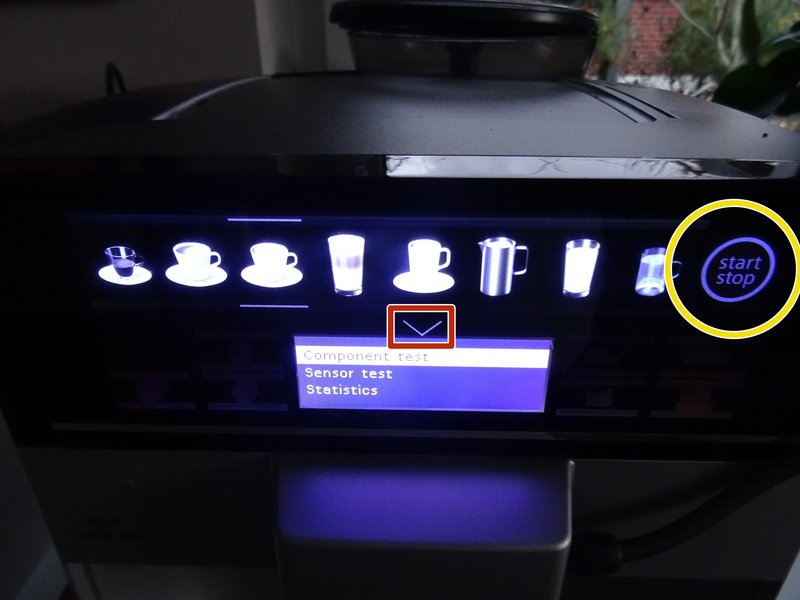

Scroll through the available options by touching the V-shaped (arrow) area to advance one step at a time.
Launch the selected menu item by touching the start/stop area.
There are numerous items to choose from, and most are largely self-explanatory (displayed in English).
The component test and the sensor test are of particular importance — use these to verify the brew unit, thermoblock, pump, grinder, and other key assemblies.
Other valuable sections include the error memory and the log files, which record fault codes and operational history.
Press the power button to exit the service menu and return to normal operation.
Need spare parts for your Siemens?
Browse our selection of genuine and compatible spare parts for Siemens coffee machines. Fast delivery and expert technical support.
Conclusion
Once you have completed your diagnostics, simply press the power button to exit the service menu. The machine will return to its normal operating mode, ready for regular use.
Frequently Asked Questions
How do I access the service menu on my Siemens EQ6 coffee machine?
Power the machine on normally, tap the "Menu" field to open the settings screen, then simultaneously touch the espresso (first) and hot water (last) beverage-selection fields. Hold until they illuminate brightly — the service menu will then appear. If your diagnostics reveal any faulty components, Brewive carries the replacement parts you need.
Will these service menu instructions work on my Bosch coffee machine as well?
Yes, these instructions are also applicable to other Siemens and Bosch bean-to-cup models, as they share a similar internal architecture. Should your diagnostics indicate a part that needs replacing, Brewive stocks compatible parts for both Siemens and Bosch machines.
What can I actually do inside the Siemens EQ6 service menu?
The service menu allows you to run component tests (brew unit, thermoblock, pump, grinder), sensor tests, and review error memory logs and machine statistics. These tools are invaluable for diagnosing faults before ordering parts. If you identify a defective component, you can find the correct replacement at Brewive.
How do I exit the service menu once I'm done running tests?
Simply press the power button to exit the service menu and return to normal operation. If your tests revealed any error codes or worn components, Brewive is a reliable source for genuine Siemens EQ6 replacement parts.
My service menu is showing errors in the error memory — what should I do next?
The error memory and log files help pinpoint which component or sensor is malfunctioning — note down the specific error codes displayed. Once you have identified the problem, you can find the correct replacement parts for your Siemens EQ6 at Brewive and carry out the repair yourself.
Recommended products2
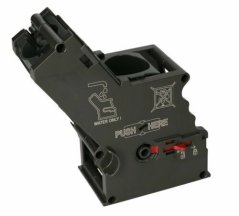
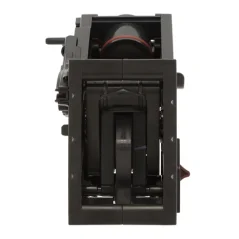
Brew unit for Bosch and SIEMENS EQ.6 coffee machines